PDFpen 9: All-Purpose PDF Editor for Mac for $37
September 11, 2017 / by Marco / Categories : Business, deals, design, entrepreneur, website

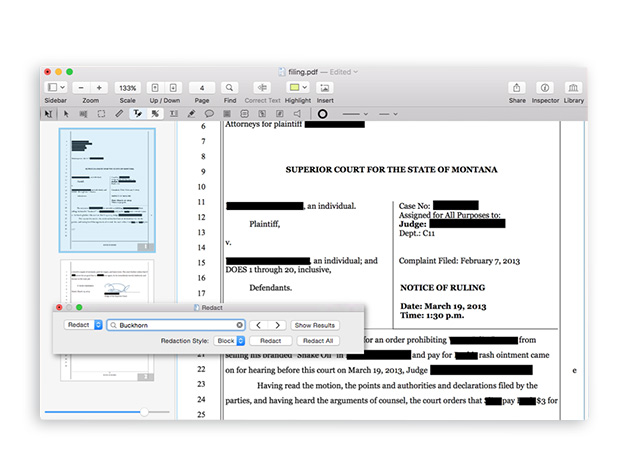
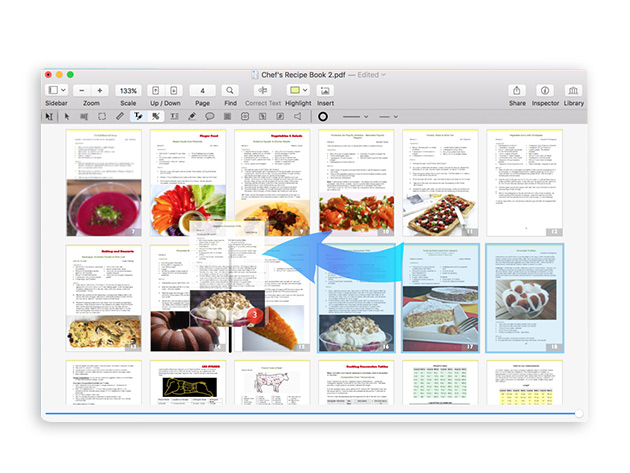
KEY FEATURES
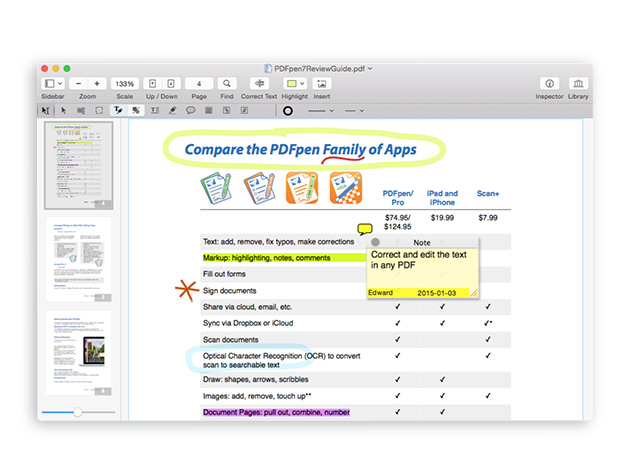
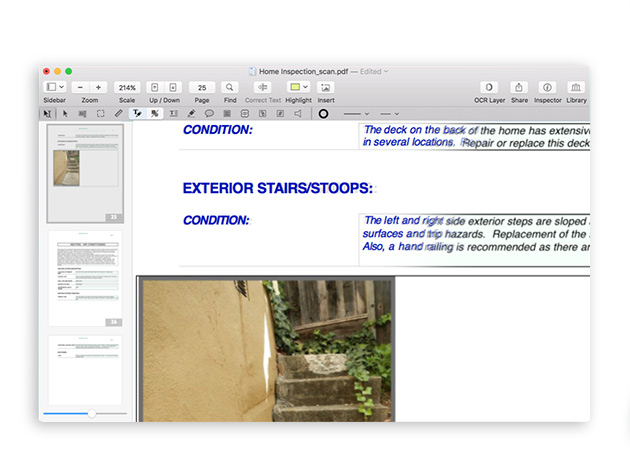
Having trouble working with PDFs? Make PDF trouble a thing of the past with PDFpen, the powerful PDF editing tool for Mac. Annotate, edit, sign, and do much more with PDFs without having to convert it to .doc format. Lot of changes necessary? You can still export it to Word format for editing and sharing. You can even perform Optical Character Recogniton (OCR) on scanned documents and edit OCR text right from your scanned pages.
‘Its abilities compare well with Acrobat Pro, and yet PDFpen comes in at roughly a tenth of the cost.’ Macworld
- Mark up documents w/ highlighting, underscoring, & strikethrough
- Add text, images, & signatures to PDF
- Perform OCR & turn pictures of scanned text into words you can use
- Export in .docx format for easy editing & sharing w/ Microsoft users
- Sign w/ a secure & trusted digital signature or scan one in
- Use iCloud or Dropbox for seamless editing & storage in the cloud
- Reorder & delete pages or merge entire PDFs
PRODUCT SPECS
Details & Requirements
- Version 9
- Updates included for version 9
- Available in English, Spanish, Japanese, German, Italian & French
Compatibility
- MacOS X 10.10 or later
SOFTWARE LICENSE DETAILS
- Length of access: lifetime
- Redemption: must redeem within 30 days of purchase

Marco / admin / 30 Nov
Writing day to day ramblings about making money, business, technology, sharing awesome deals and everything else that I know I'll forget. Follow my personal blog https://marcotran.com.au
I've recently also turned Vegan and started this website Veggie Meals - check it out
"When technology speaks for itself, that is art" - MT
Affiliate Compensated: there are some articles with links to products or services that I may receive a commission.
OTHER ARTICLES YOU MAY LIKE

STOP NOISY CALLS: THE ANDROID SETTING YOU SHOULD SWITCH ON TODAY
Phone calls still matter. Whether you’re speaking to a client, checking in with family, or handling something urgent on the move, clarity can make or break the conversation. If you’ve ever found yourself apologising for the construction noise behind you, the wind across your microphone, or the café chatter muddling your words, there’s an Android […]
read more
FILMORA 15 – WHAT’S NEW? AI EXTEND, DYNAMIC CAPTIONS, TRUE TIMELINE EDITING + INSTALL GUIDE
There is a particular thrill to installing a major new release of your everyday editor, especially when your workflow is comfortable and productive in the current version. That feeling is right at the heart of the move from Filmora 14 to Filmora 15. This upgrade promises fresh creative features, faster handling of complex projects, and […]
read more