Monument Personal Cloud For Photos and Videos for $126
December 22, 2017 / by Marco / Categories : Business, deals, design, entrepreneur, website

KEY FEATURES
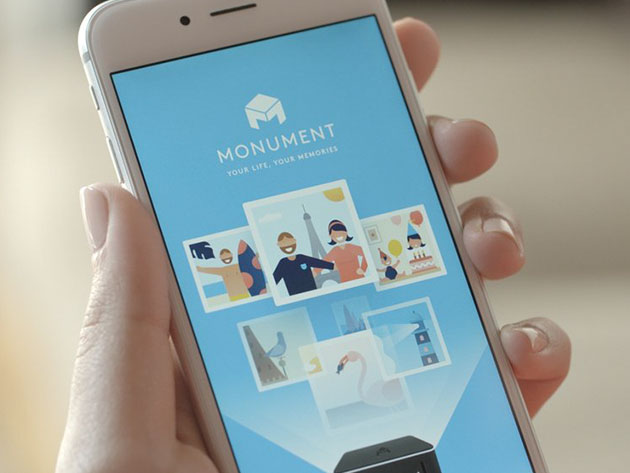
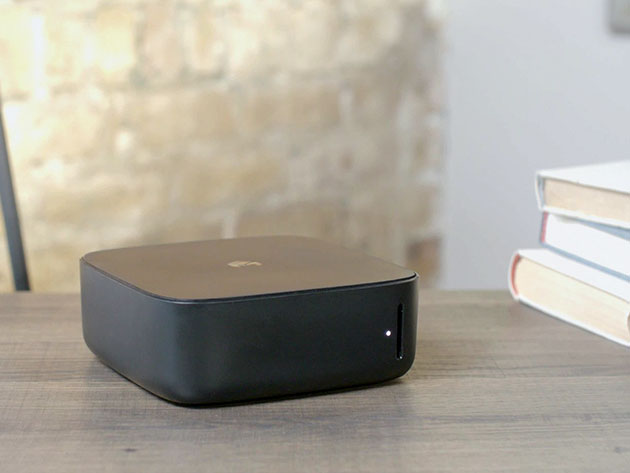
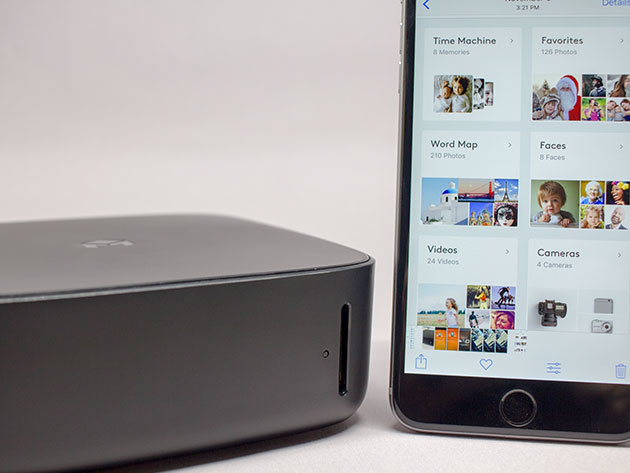
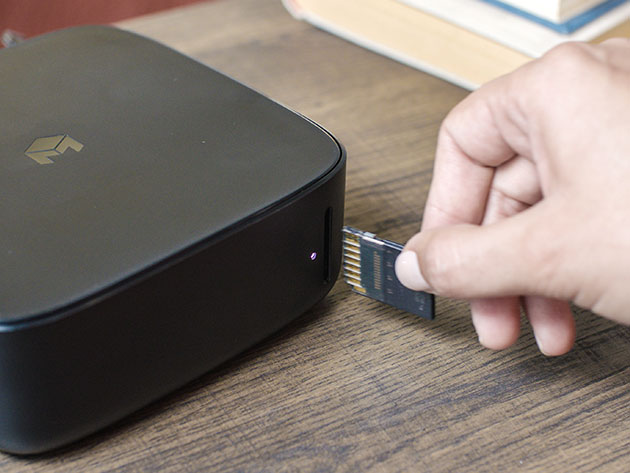
No matter how hard we try, it just seems impossible to effectively organize photos. And yet we just keep taking them! Finally, however, there’s a solution that makes managing photos and videos as easy as taking them. Monument is the personal cloud that makes storing and organizing photos completely effortless. You can sync automatically over WiFi using your smartphone or tablet, or you can easily import from SD cards and expand the device’s capacity by adding flash drives, HDD, or SSD. Monument perfectly blends the convenience of cloud storage with the security of a physical hard drive.
Successfully funded on Kickstarter
Featured by The Next Web, NBC, Reuters, and The Chicago Tribune
- Syncs & backs up photos and videos from your smartphone or tablet over WiFi in just seconds
- Increases capacity based on the USB drives you choose to attach: plug in a 2TB drive, then you have 2TB
- Automatically analyzes & organizes your photos by date, location, camera type, faces, and what’s in them through Artificial Intelligence
- Easy to search for scenes, people, locations, & much more
- Offers multiple backup options to ensure your photos are safe, private, & always under your control
- Allows multiple users for free
- Lets you transfer videos smoothly & use the app to bookmark and find the exact moments desired in seconds
PRODUCT SPECS
Details & Requirements
- Monument requires an Android or iOS mobile phone or tablet with Bluetooth 4.0 for initial setup
- Requires additional USB storage device for memory
Compatibility
- Monument app is compatible with iOS and Android
Includes
- Monument Model 217A
- Manual
- Power adapter
- Quick start guide

Marco / admin / 30 Nov
Writing day to day ramblings about making money, business, technology, sharing awesome deals and everything else that I know I'll forget. Follow my personal blog https://marcotran.com.au
I've recently also turned Vegan and started this website Veggie Meals - check it out
"When technology speaks for itself, that is art" - MT
Affiliate Compensated: there are some articles with links to products or services that I may receive a commission.
OTHER ARTICLES YOU MAY LIKE
STOP NOISY CALLS: THE ANDROID SETTING YOU SHOULD SWITCH ON TODAY
Phone calls still matter. Whether you’re speaking to a client, checking in with family, or handling something urgent on the move, clarity can make or break the conversation. If you’ve ever found yourself apologising for the construction noise behind you, the wind across your microphone, or the café chatter muddling your words, there’s an Android […]
read more
FILMORA 15 – WHAT’S NEW? AI EXTEND, DYNAMIC CAPTIONS, TRUE TIMELINE EDITING + INSTALL GUIDE
There is a particular thrill to installing a major new release of your everyday editor, especially when your workflow is comfortable and productive in the current version. That feeling is right at the heart of the move from Filmora 14 to Filmora 15. This upgrade promises fresh creative features, faster handling of complex projects, and […]
read more