Master InDesign CC 2018 with the Online MasterClass Course – only $17!
August 15, 2018 / by Marco / Categories : Business, deals, design, entrepreneur, website

NOW ON: Master InDesign CC 2018 with the Online MasterClass Course – only $17!
Expires: August 28, 2018, 11:59 pm EST

Arguably one of the industry’s top page design and layout tool sets on the market, InDesign is huge asset to designers everywhere. If you’re looking to create, edit and/or publish anything from books to brochures to digital magazines, you’ll want to master this program. And with InDesign CC 2018 MasterClass, that’s just what you’ll do. Through 10 hours of online lectures, you can learn all the ins and outs of this powerful design tool.
Highlights:
- Learn all you need to know to master InDesign CC 2018.
- 10 hours/81 videos worth of online lectures.
- Study at your own piece – lifetime access.
- Interactive quizzes, exercise files and study guides help you along.
- Wide range of lessons:
- Creative page layouts and compositions
- Useful keyboard shortcuts
- Best practices
- Print and digital publishing
- Books and long documents
- Advanced automation techniques like GREP and Data Merge
- And so much more
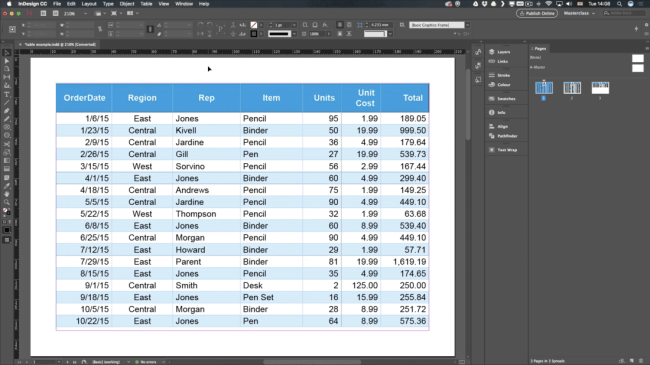
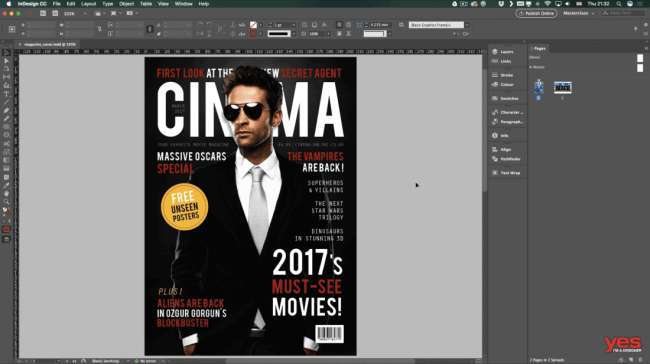
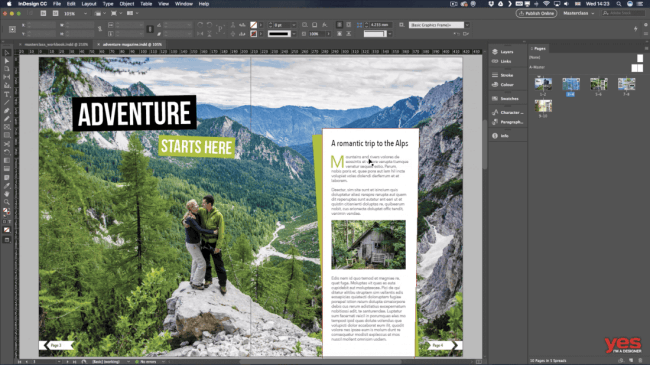
10 Things InDesign Does Best:
Creating Drop Caps – InDesign Tutorial:
Pricing:
Normally this insightful course sells for $97 but for a limited time only, you can get lifetime access to InDesign CC 2018 MasterClass for only $17! That’s a savings of 82% off the regular price.
Click the BUY NOW button to start learning today!
Deal terms:
- You will receive unlimited access to course content without expiry date.
- Video lessons can only be accessed online.
- Course includes downloadable Exercise Files and Study Guide PDFs.
- Compatibility: Windows, Mac, iPhone, iPad and Android. No software included.
- Course completion certificate included.
- Deal doesn’t include software (InDesign CC is recommended to complete the course).

Marco / admin / 30 Nov
Writing day to day ramblings about making money, business, technology, sharing awesome deals and everything else that I know I'll forget. Follow my personal blog https://marcotran.com.au
I've recently also turned Vegan and started this website Veggie Meals - check it out
"When technology speaks for itself, that is art" - MT
Affiliate Compensated: there are some articles with links to products or services that I may receive a commission.
OTHER ARTICLES YOU MAY LIKE

STOP NOISY CALLS: THE ANDROID SETTING YOU SHOULD SWITCH ON TODAY
Phone calls still matter. Whether you’re speaking to a client, checking in with family, or handling something urgent on the move, clarity can make or break the conversation. If you’ve ever found yourself apologising for the construction noise behind you, the wind across your microphone, or the café chatter muddling your words, there’s an Android […]
read more
FILMORA 15 – WHAT’S NEW? AI EXTEND, DYNAMIC CAPTIONS, TRUE TIMELINE EDITING + INSTALL GUIDE
There is a particular thrill to installing a major new release of your everyday editor, especially when your workflow is comfortable and productive in the current version. That feeling is right at the heart of the move from Filmora 14 to Filmora 15. This upgrade promises fresh creative features, faster handling of complex projects, and […]
read more